Post A – Lab Exercises
Throughout this module and the lectures over the past 5 weeks, I have been using a variety of different software’s, some I’ve got experience in and some unfamiliar. Illustrator, photoshop, firefly, frame VR and blender. These workshops have allowed me to experiment and develop my abilities further, improving the design aspects of my assignments. Across the workshops I have been designing digital products, creating products in 3D and blender, exploring virtual environments and experimenting with AI.
In this blog post Ill being documenting my experiments across the different software’s and platforms, documenting what I have designed, what worked well and the different challenges I had across each tool. Whilst also reflecting on how these technologies may influence different stages of my assignment and how I can use what I’ve learnt in any future projects.
Adobe Illustrator
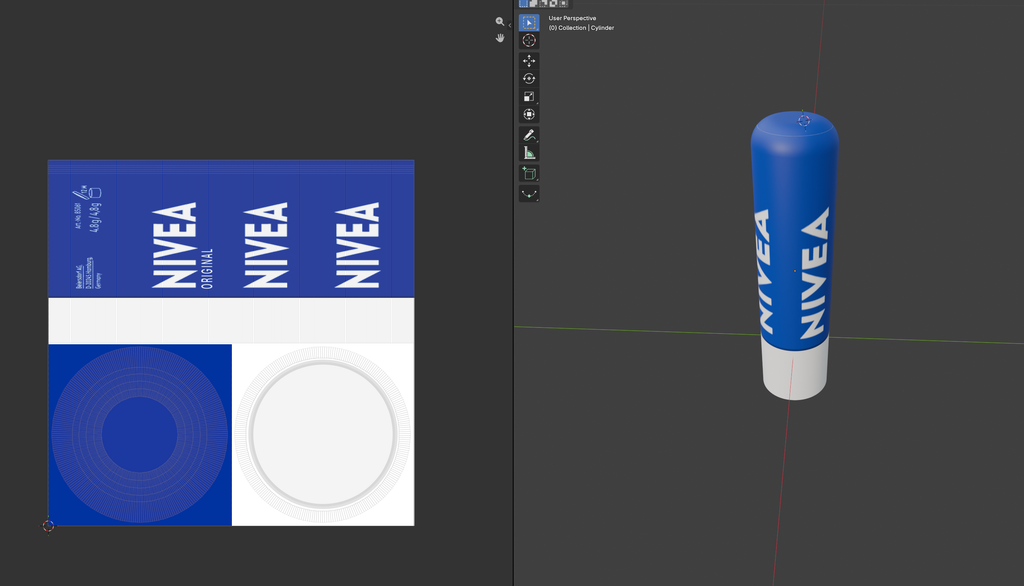
During this workshop we learnt how illustrator can be used for designing and modelling 3D products, with the task being to design a nivea lip balm cover and then transform it using both the 3D modelling tools and the shadow effects. This was an important workshop session as I’ve only ever used illustrator for designing logos, illustrations and other 2D designs so using the 3D tools was something I was completely unfamiliar with, so being able to turn designs and objects into a 3D model showed me the different ways the software can be used, especially for product design and packaging. Although this specific workshop was focused on Nivea, I started to think about how the same process and techniques can be used for other products, especially when thinking about how I want my future products to look in a 3D form.
The first stage of this was to design the actual lip balm package design, which would be wrapped around the 3D object, this stage was fairly easy as we were only working with typography, placement and colours to design the cover similar to the real product. Once the actual design had been created, I was able to experiment with the variety of 3D features to transform my flat design into a realistic looking model. This was the intriguing part of the workshop as I was learning new skills but also allowed me to see how a flat design I’ve created could be developed and placed onto a realistic looking 3D model, this is a skill Ill be pushing to improve on, to ensure I can use this in a variety of future projects. Because of this, I had to properly think about positioning and placement on my package design, as text and images may translate different when placed on a curved surface, potentially making them unreadable or unrecognisable.
In my opinion, one of the best aspects of using illustrator for designing packaging is that I was bale to create both the design and the model within the same software, as similar software such as blender doesn’t allow for actual designing. This then made the whole process much more straightforward as I didn’t have to keep switching between applications. Being able to also rotate the model was something that worked well during the modelling as I was able to check how parts of the design such as the package design and shadows appeared when looking at a range of different angles. However there is limitations when using the 3D tools as creating more complicated shapes and adding realistic materials/ shadows was something that I found challenging and didn’t work as well as I intended.
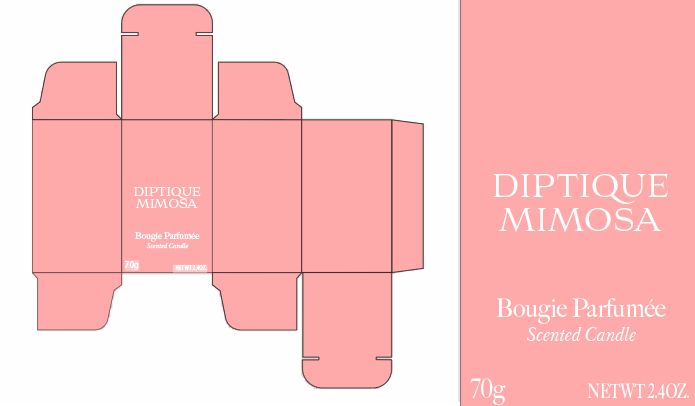
Whilst still using illustrator in a different workshop, we designed a packaging box with the one i made being an existing candle brand, this process was simple as I was dealing with shapes and shaping them into a flat box package, although this was simple, its something which is really important for the project and needed when it comes to finalising and designing my own brand and its products.
Frame VR
During this workshop, I explored and learnt the basics around frame VR, which is an online platform used to create, explore and interact with other users and environments. With the main focus of this session being about familiarising myself with the platform and playing around with environments and models with a few other of the students in their created worlds, in which we messed around with editing models and many more editing based features. Although when using frame VR, I wasn’t creating any 3D models, the workshop gave me an understanding on how the existing assets could be used to develop and design environments and how users may interact with different assets.
I started with exploring the different pre-set environments to get a basic understanding of how the platform worked, for example I explored the office hub starting point, and a Halloween maze which was available on canvas, playing around with both of these worlds therefore helped with learning movement, interaction and the variety of tools which were available. After I knew all the basics of the platform , I created my own space for myself and a few other classmates, were we did more experimenting and development using the 3D model catalogue, editing objects size, making them move and interacting with the etc.
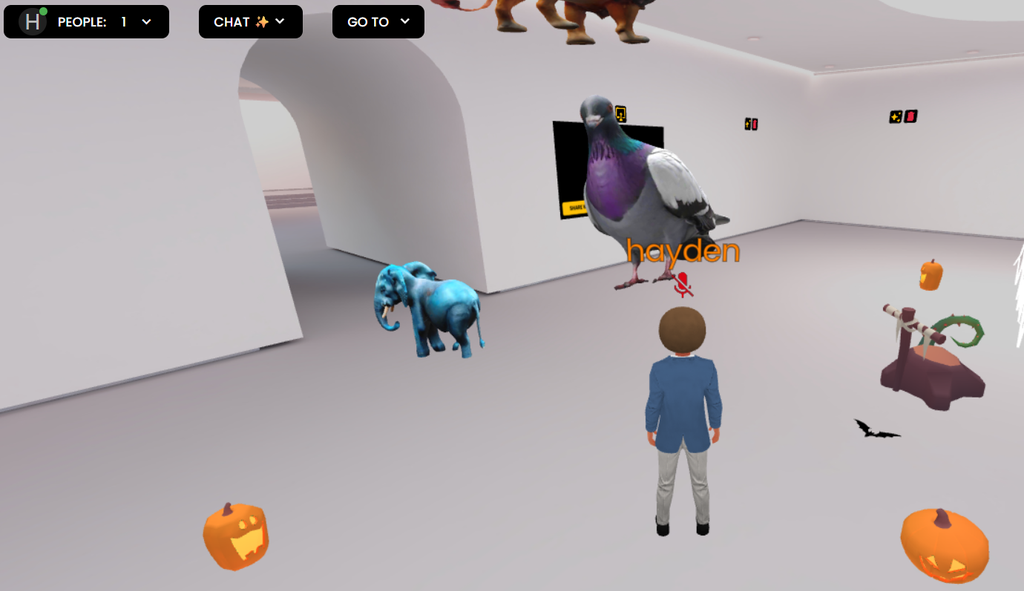
Although in this workshop I was only just beginning to understand the basics of Frame VR, I was still thinking and planning on how I might be able to use the program when it comes to designing my own products and how the platform can be used to bring in interactivity with my project. For example, rather then using relating 3D models, I could create a room and host a virtual experience exhibition or show room which helps to display all my products in a way in which I haven’t done before. But doing this means Ill have to focus on the technical and accessibility limitations with using Frame VR, for example, a user who isn’t familiar with virtual environments may find navigation or controls difficult to understand, therefore not allowing them to view the same material as others, this also applies to users who may experience motion sickness.
Blender